Flying Toasters
A downloadable tool for Windows
========================================
Flying Toasters for Windows
(English / 日本語)
========================================
-------------------------
English Description
-------------------------
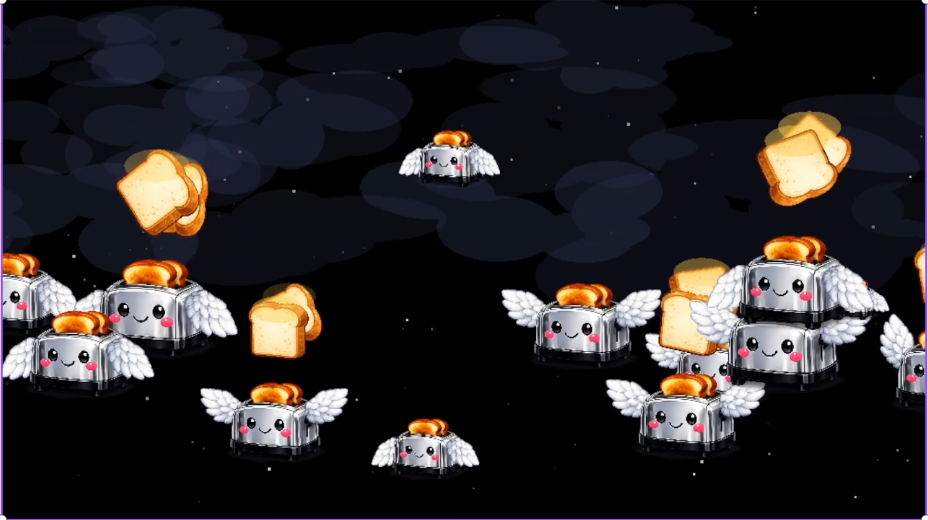
Flying Toasters is a Windows screensaver featuring smooth
animation, adjustable settings, and a lightweight installer.
It supports Windows 10 and Windows 11.
FEATURES
- Smooth toaster animation
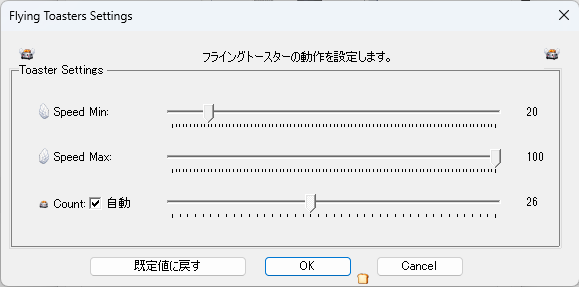
- Adjustable toaster count and speed
- Multi?monitor support
- Lightweight, no background processes
- Includes installer + standalone .scr file
SAFETY
- Installer and .scr file are digitally signed
- Verified clean on VirusTotal (0/71)
- Submitted to Norton for false?positive review
INSTALLATION
1. Run "scr_setup.exe" for automatic installation
2. Or place "FlyingToasters.scr" into:
C:\Windows\System32
3. Open Screen Saver Settings and select "Flying Toasters"
Enjoy.
-------------------------
日本語説明文
-------------------------
Flying Toasters は、滑らかなアニメーションと
調整可能な設定を備えた Windows 用スクリーンセーバーです。
Windows 10 / 11 に対応しています。
特徴
- 滑らかなトースターアニメーション
- トースター数・速度を調整可能
- マルチモニター対応
- 常駐プロセスなしの軽量設計
- インストーラー版と .scr 単体版を同梱
安全性
- インストーラーおよび .scr はデジタル署名済み
- VirusTotal にて 0/71 の安全判定
- Norton に誤検知報告済み
インストール方法
1. "scr_setup.exe" を実行すると自動でインストールされます
2. または "FlyingToasters.scr" を以下に配置してください:
C:\Windows\System32
3. スクリーンセーバーの設定から「フライングトースター」を選択
お楽しみください。
Download
Install instructions
## Download & Install (English)
1. Download the ZIP file from this page.
2. Extract the contents.
3. Run **scr_setup.exe** to install automatically.
4. Open **Screen Saver Settings** and select **Flying Toasters**.
### Manual Installation (optional)
1. Copy **FlyingToasters.scr** to:
`C:\Windows\System32`
2. Open **Screen Saver Settings** and choose **Flying Toasters**.
## ダウンロード & インストール(日本語)
1. このページから ZIP ファイルをダウンロードします。
2. ZIP を解凍します。
3. **scr_setup.exe** を実行すると自動でインストールされます。
4. **スクリーンセーバーの設定** から **フライングトースター** を選択します。
### 手動インストール(任意)
1. **FlyingToasters.scr** を
`C:\Windows\System32`
にコピーします。
2. **スクリーンセーバーの設定** で **フライングトースター** を選択します。
Leave a comment
Log in with itch.io to leave a comment.